 Markit | Docs
Promoter Role
Set up promoters with revenue-sharing tracking links so they can help sell tickets to your event.
Overview
The Promoter role turns anyone into an affiliate for your event. You set a revenue share — either a percentage of each ticket price or a flat dollar amount per ticket — and the promoter gets a unique tracking link. Every ticket sold through that link is automatically attributed to them, and they're paid out directly through their own connected Stripe account.
Promoter requires your event to have at least one paid ticket type, and is available on qualifying Markit+ plans.
Adding a Promoter
- Open your event and go to the event dashboard.
- Go to the Guest List tab, then switch to the Organizers sub-tab.
- Press Add Organizer.
- Choose the Promoter role.
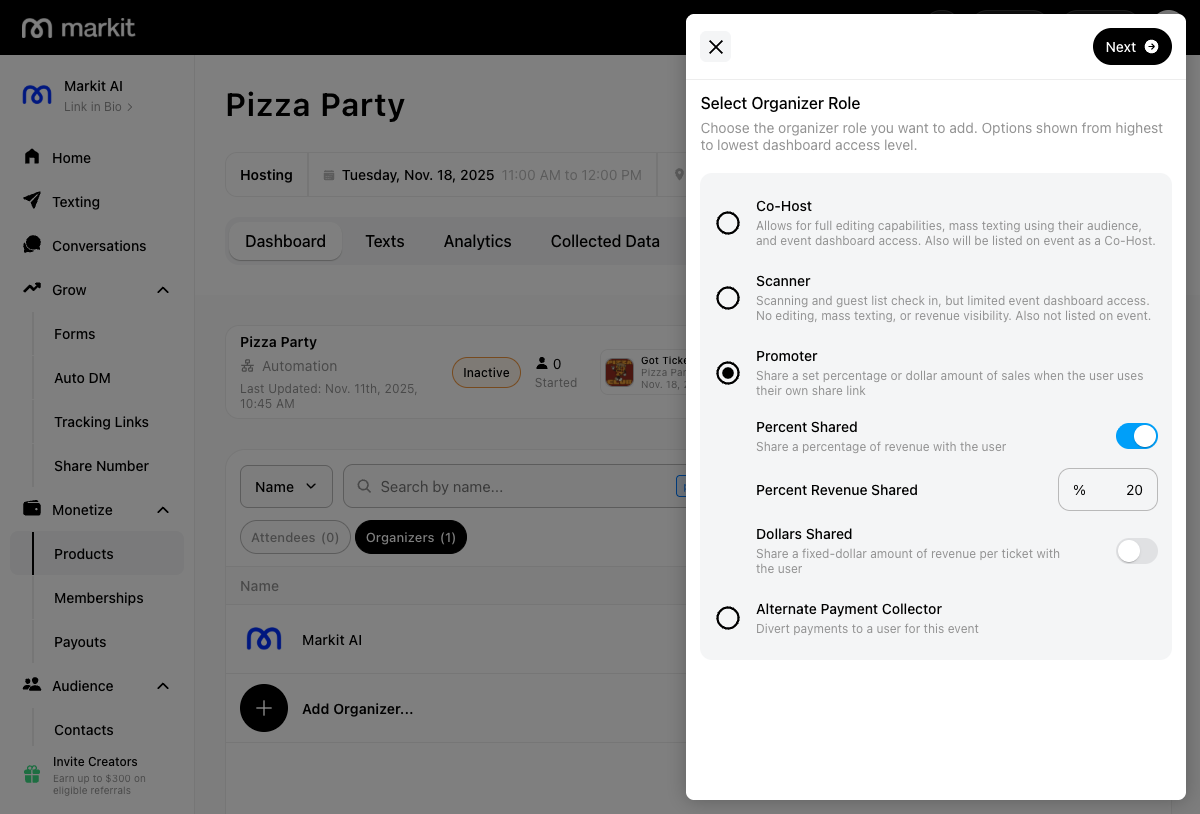
- Set their revenue share — either a percentage of each ticket sold or a flat dollar amount per ticket.
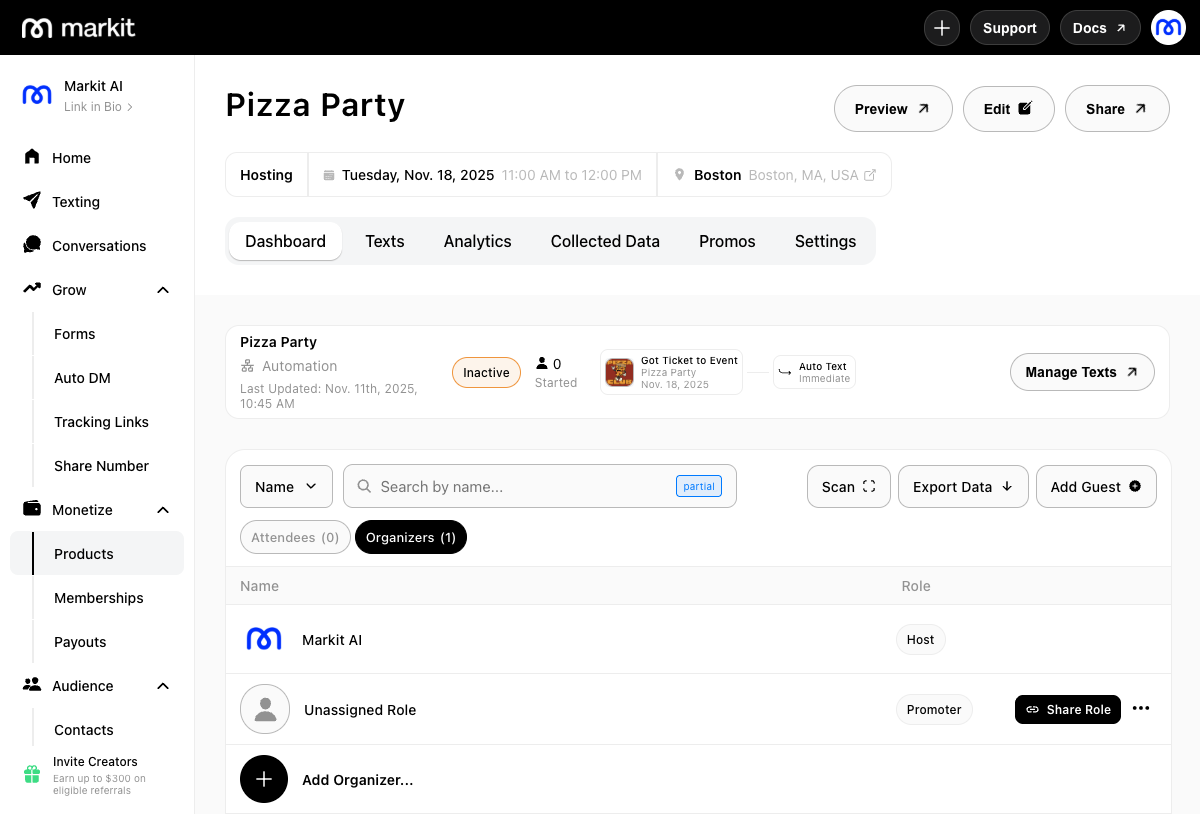
- If they've already organized one of your other events, search for and select them directly. Otherwise, press Save & Skip to generate a shareable link, then copy and send it directly to your promoter.
What a Promoter Does
Once someone accepts a Promoter role — either by clicking your shareable link or being assigned directly — here's how they get their link and start selling:
- From the app, they go to Monetize → Products and open your event.
- They press Share Link to get their unique affiliate link.
- The first time they do this, they'll be prompted to connect a bank account through Stripe. This is what lets them get paid out automatically as their link generates sales.
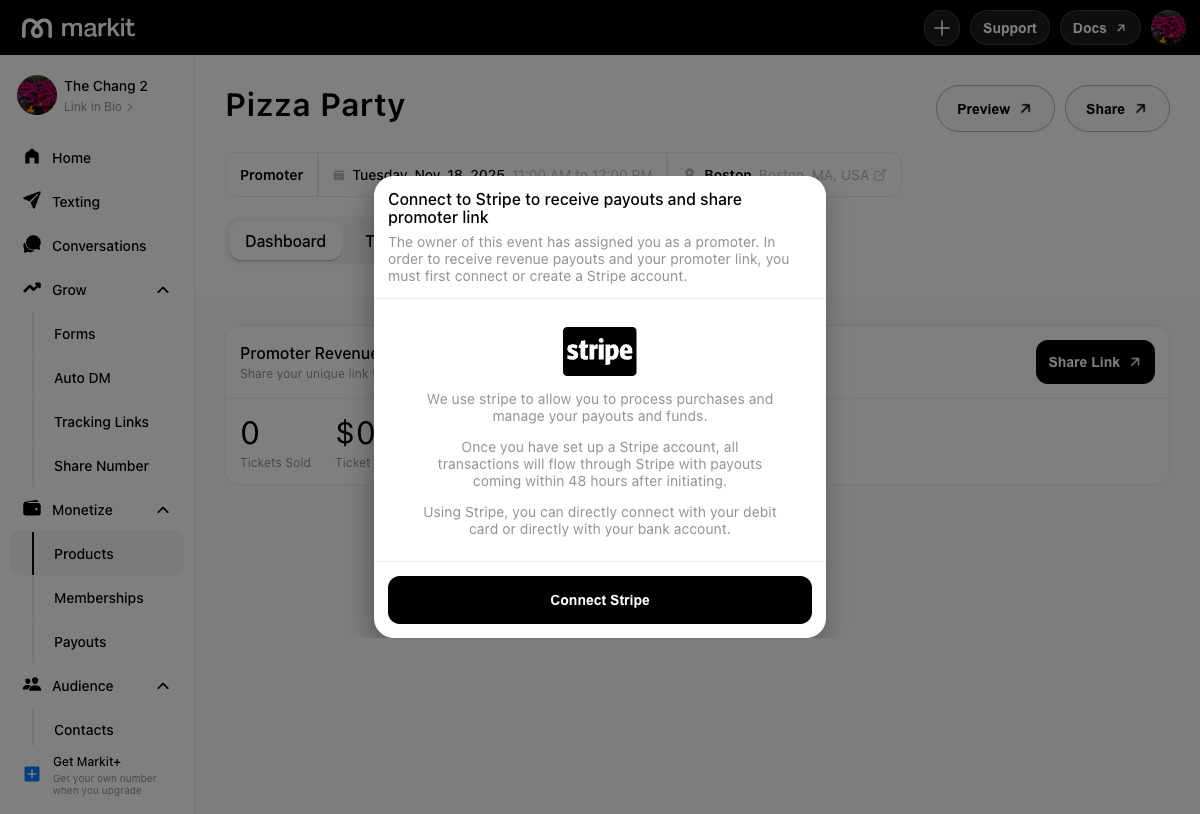
- Once their account is connected, pressing Share Link again gives them their unique tracking link to share with their own audience.
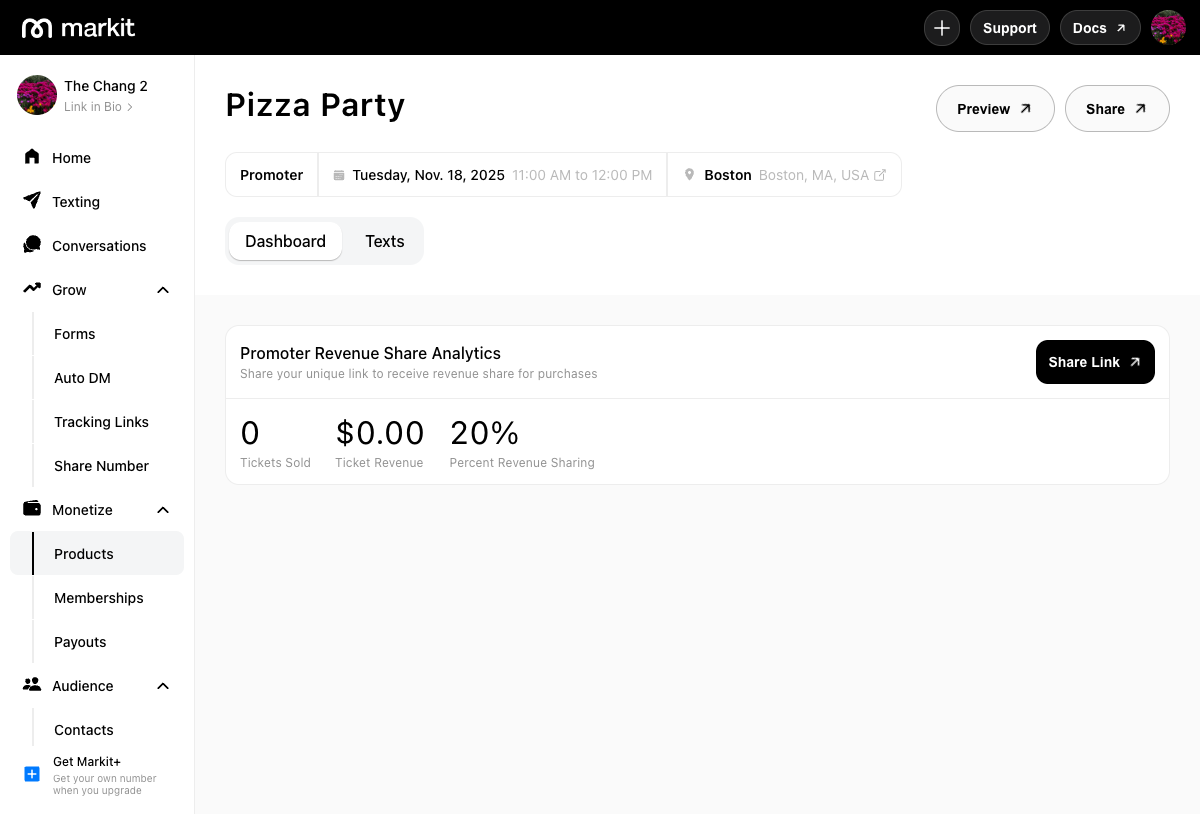
- From their view of the event, they can track how many tickets have sold and how much they've earned through their link — without seeing your full event dashboard or revenue.
Payouts
Promoter payouts are handled automatically through Stripe. As soon as someone purchases a ticket through a promoter's link, their share is calculated and routed to their connected account — no manual payout tracking needed on your end.