 Markit | Docs
Alternate Payment Collector Role
Route a paid event's ticket revenue directly to someone else's connected Stripe account.
Overview
The Alternate Payment Collector role redirects where your event's ticket revenue goes. Instead of paid ticket sales landing in your own Stripe account, they're routed to the assigned person's connected account instead — useful if a venue, co-organizer, or manager should be the one receiving the funds for an event.
This isn't a revenue split — it diverts the full ticket revenue (minus Markit's platform fee) to the collector's account. Only one Alternate Payment Collector can be set per event at a time.
Alternate Payment Collector requires your event to have at least one paid ticket type. The person doesn't need to have Stripe connected yet to be assigned — like other organizer roles, you can search for and select an existing organizer directly, or press Save & Skip to send anyone a shareable invite link instead. Until they connect Stripe, ticket revenue keeps routing to your own account as normal; it switches over automatically as soon as they connect.
If you want to select someone directly rather than sending an invite link, keep in mind the search only finds people who've already held an organizer role (Co-Host, Scanner, Promoter, or Alternate Payment Collector) on one of your other events — it's not a general Markit user search. For anyone new, use Save & Skip instead; see Accepting an Organizer Role for what they'll see on their end.
Adding an Alternate Payment Collector
- Open your event and go to the event dashboard.
- Go to the Guest List tab, then switch to the Organizers sub-tab.
- Press Add Organizer.
- Choose the Alternate Payment Collector role.
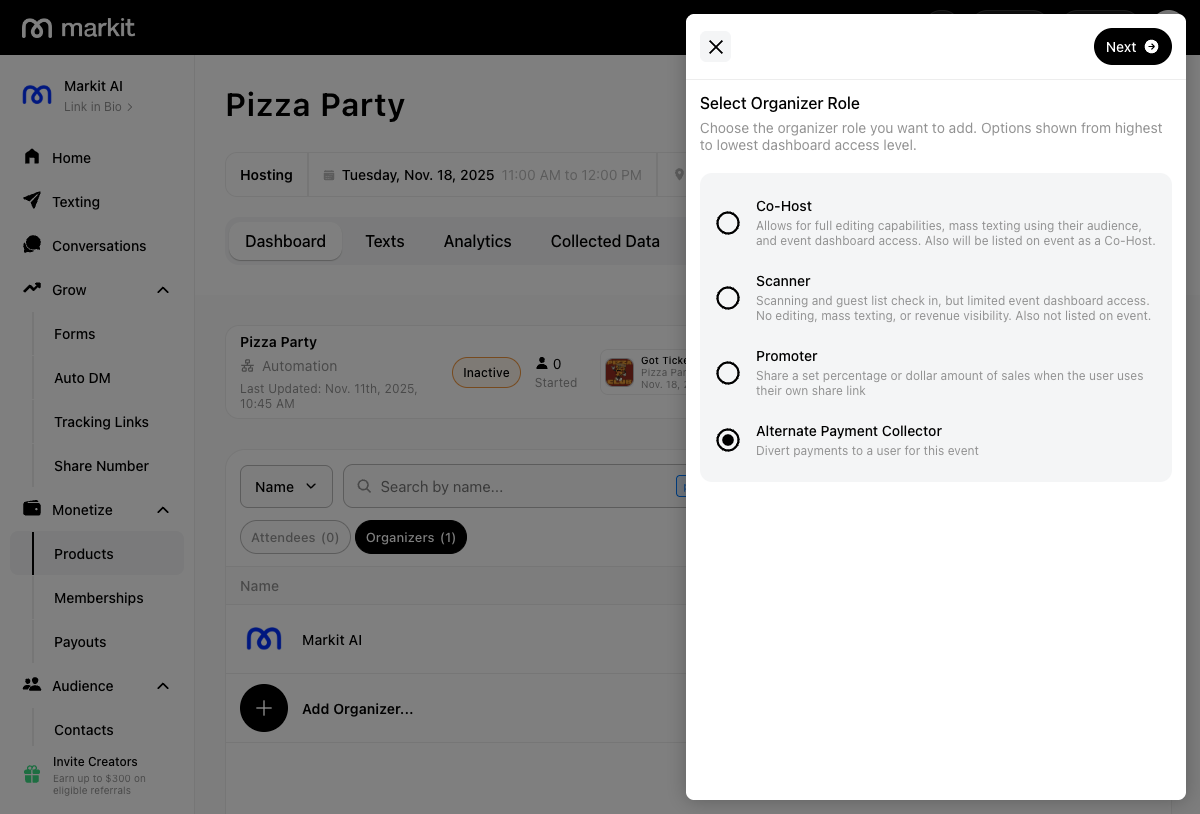
- Search for and select someone to assign the role to directly, or press Save & Skip to send them an invite link instead.
Once assigned, ticket revenue for the event routes to that person's account going forward — or, if they haven't connected Stripe yet, it continues going to your own account until they do. You can remove or reassign the role at any time from the Organizers tab, which sends revenue back to your own account.
Combining with Co-Host
You can also make a Co-Host an Alternate Payment Collector at the same time, using the Make alternate payment collector toggle when adding or editing their Co-Host role. This gives them full event management access in addition to receiving the ticket revenue.
What the Collector Sees
Someone assigned only the Alternate Payment Collector role (not also Co-Host) gets limited dashboard access — similar to a Scanner, they can't edit the event, send mass texts, or check guests in. They aren't listed publicly on the event page.
Their dashboard's Analytics tab shows the same full ticket and revenue breakdown a host would see for the event (though not the list of the event's promoters), whether or not they've connected Stripe yet. If they haven't connected it, the dashboard also shows a banner prompting them to do so — until they do, ticket revenue keeps landing in the host's account instead of theirs.