 Markit | Docs
Paid Products
Create and sell paid products on Markit.
Creating a Paid Product
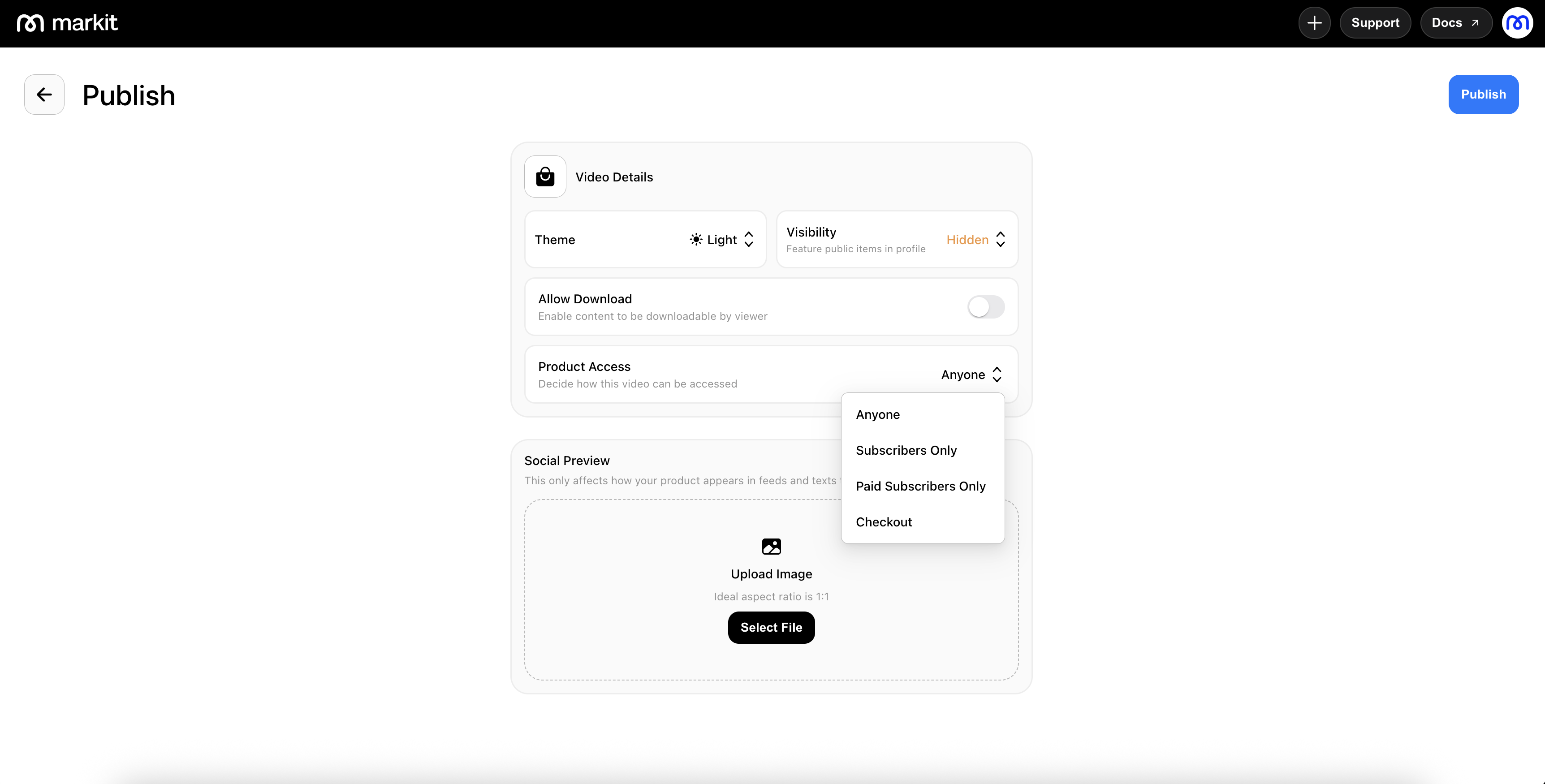
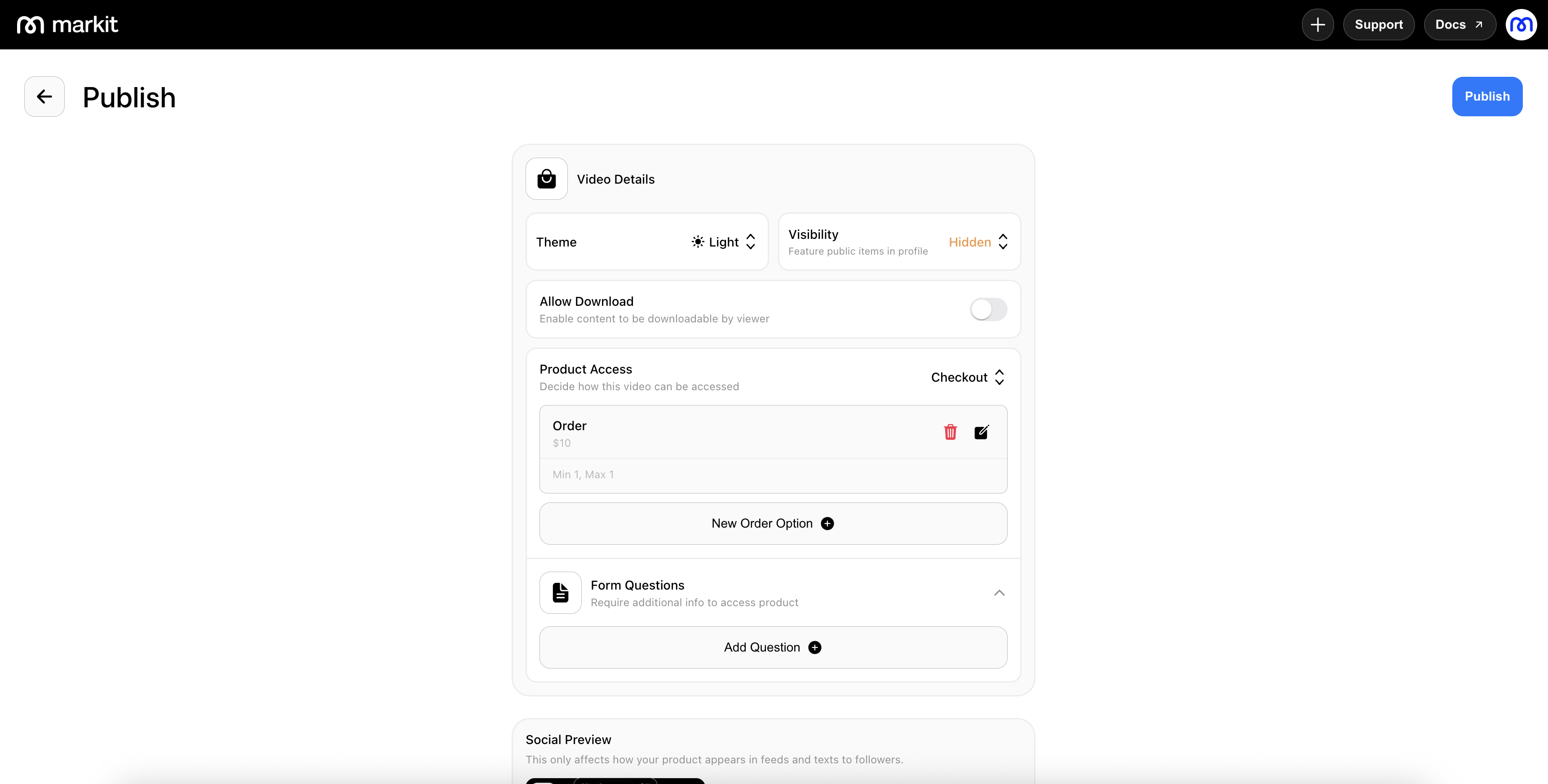
When you create a new product, you can configure product access during the publish step. The checkout access option lets you customize your paid product and add order options and data questions to ask on the checkout page.
If your Stripe account is not already connected, you will be prompted to connect it before enabling paid products.
Creating an Order Option
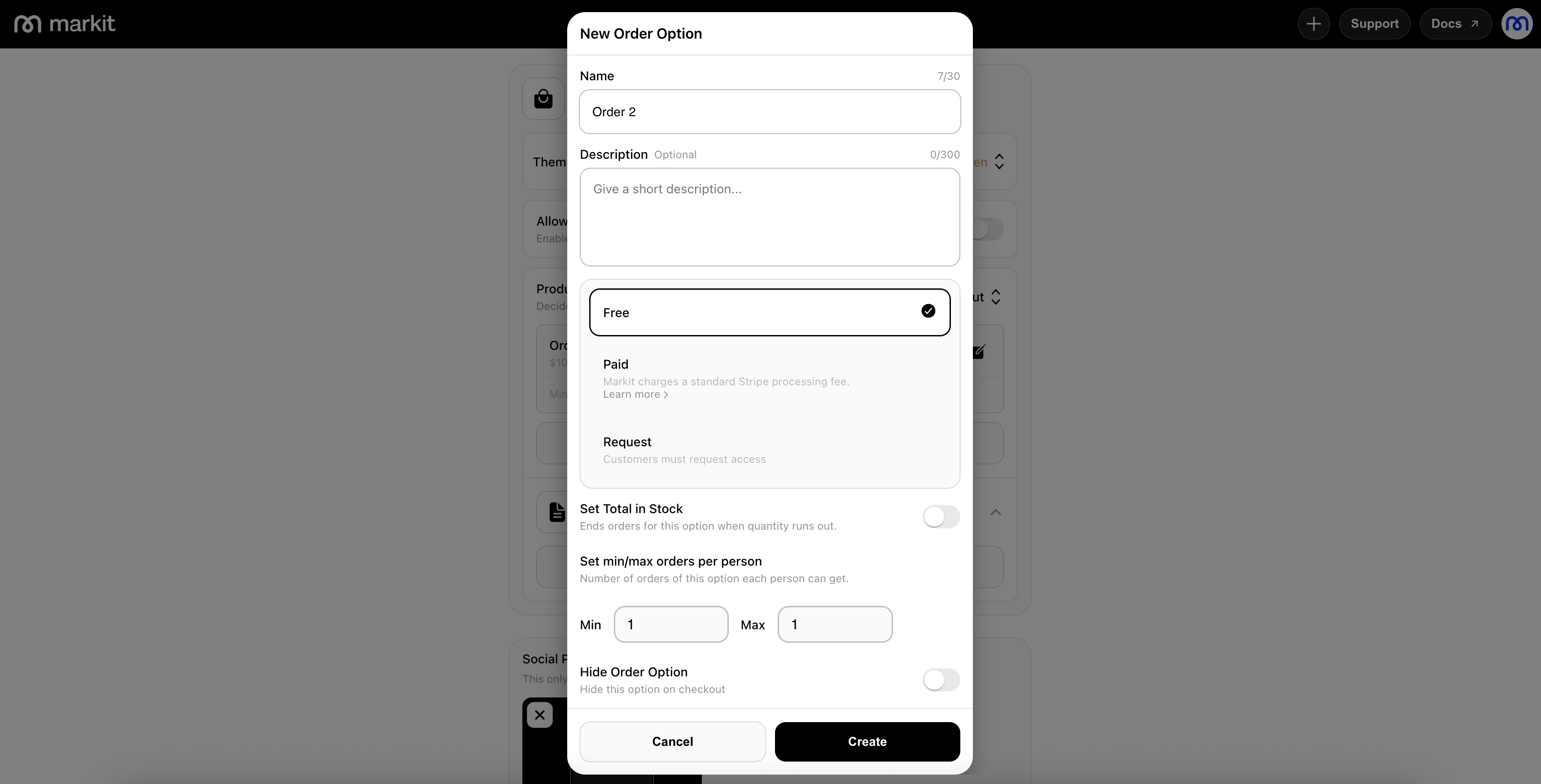
Order options define how people can access your product at checkout. Create pricing tiers, limit availability, or hide specific order options.
- Name: Add a short, clear label (for example, One-Time Purchase, Bundle Pack, Pre-Order, or Limited Stock Drop).
- Description (optional): Add a brief note to explain what is included in this option.
- Order Option: Choose from
Free,Paid, orRequestdepending on how buyers should access this option. - Set Total in Stock: Enable this to cap available quantity. The option will stop accepting orders when stock runs out.
- Min/Max orders per person: Set buyer limits to control how many orders can be purchased by one person.
- Hide Order Option: Hide the option from checkout without deleting it.
Adding Data Questions
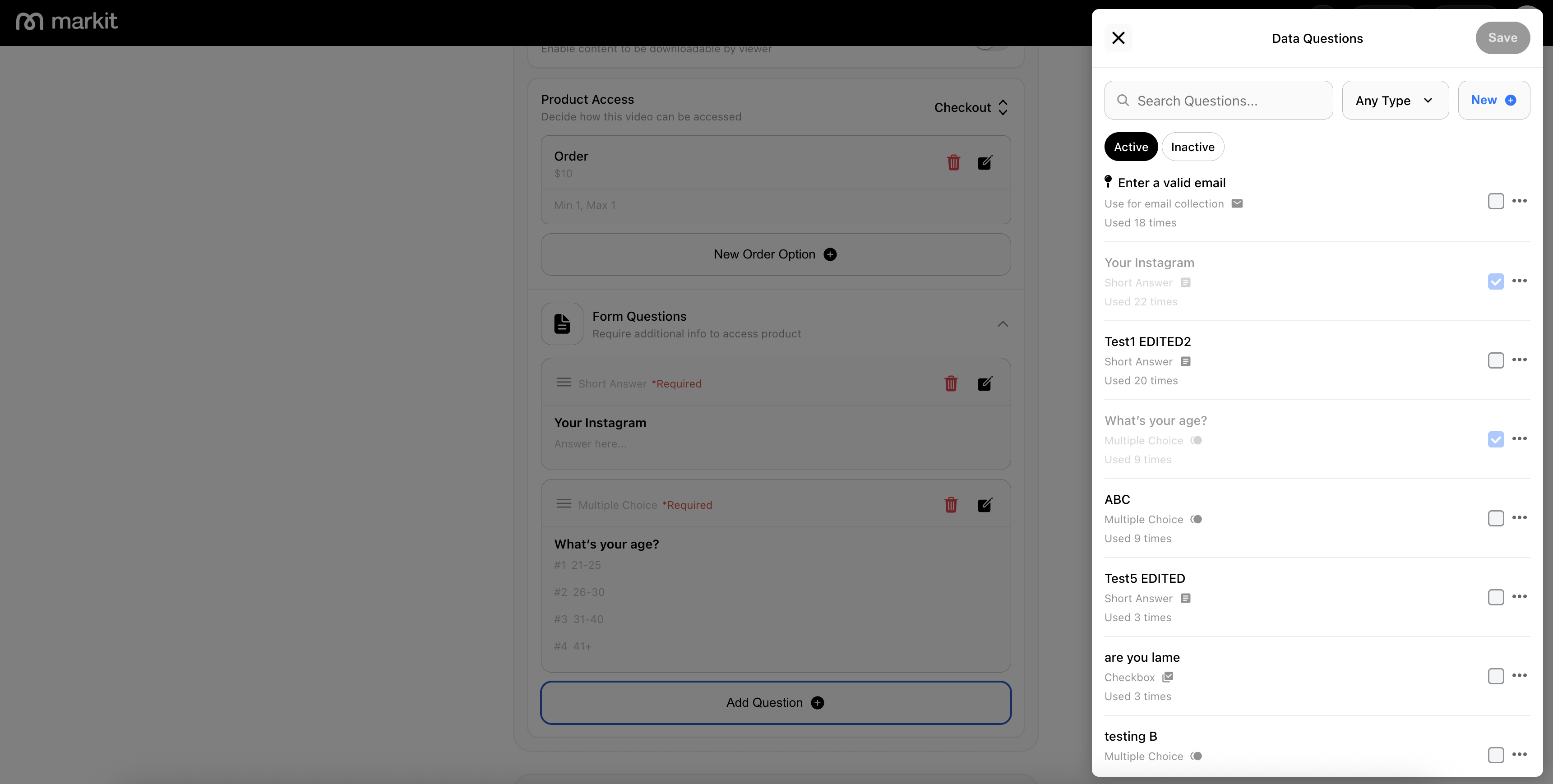
Data questions let you collect required customer details before access is granted. This is useful for fulfillment, qualification, and follow-up.
Use the question panel to add or reuse required questions—like Short Answer, Multiple Choice, or Checkbox—to your product's checkout, helping collect the info you need before customers complete their order.
Paid Product Dashboard
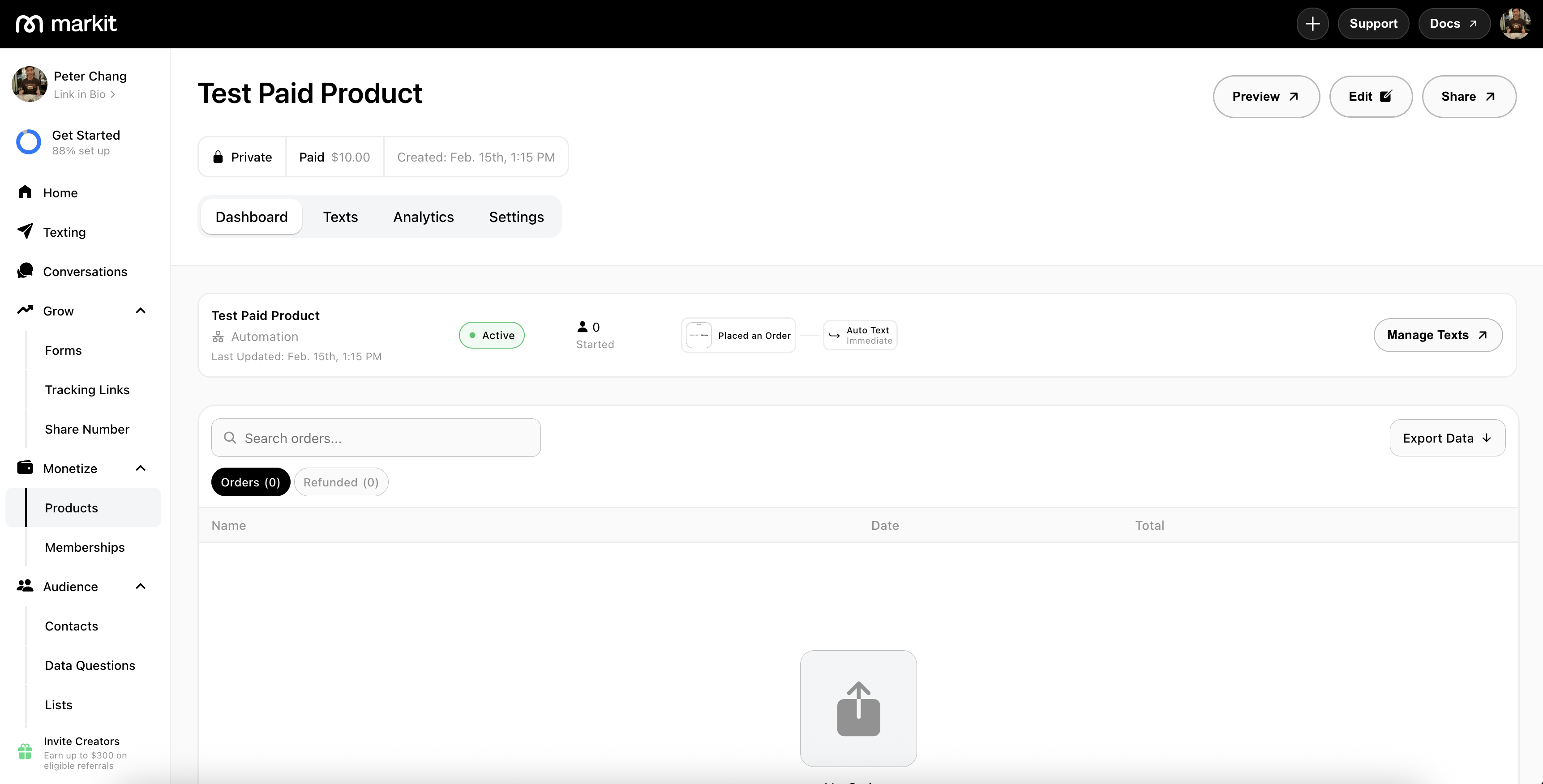
The product dashboard is where you manage every part of your product. You can view orders, manage text automation, review order analytics, create tracking links, and more.
Product Text Automation
You can manage text automation for the product and jump directly to the automation dashboard to configure messages sent after purchase.
Additional Options
Refund Orders: Refund all orders for a product or refund individual orders.
Download Product: Download the product file to your device.
Archive Product: Archive or unarchive a product when you no longer want its link to be live.
Delete Product: Permanently delete a product if it is no longer needed or was created in error.
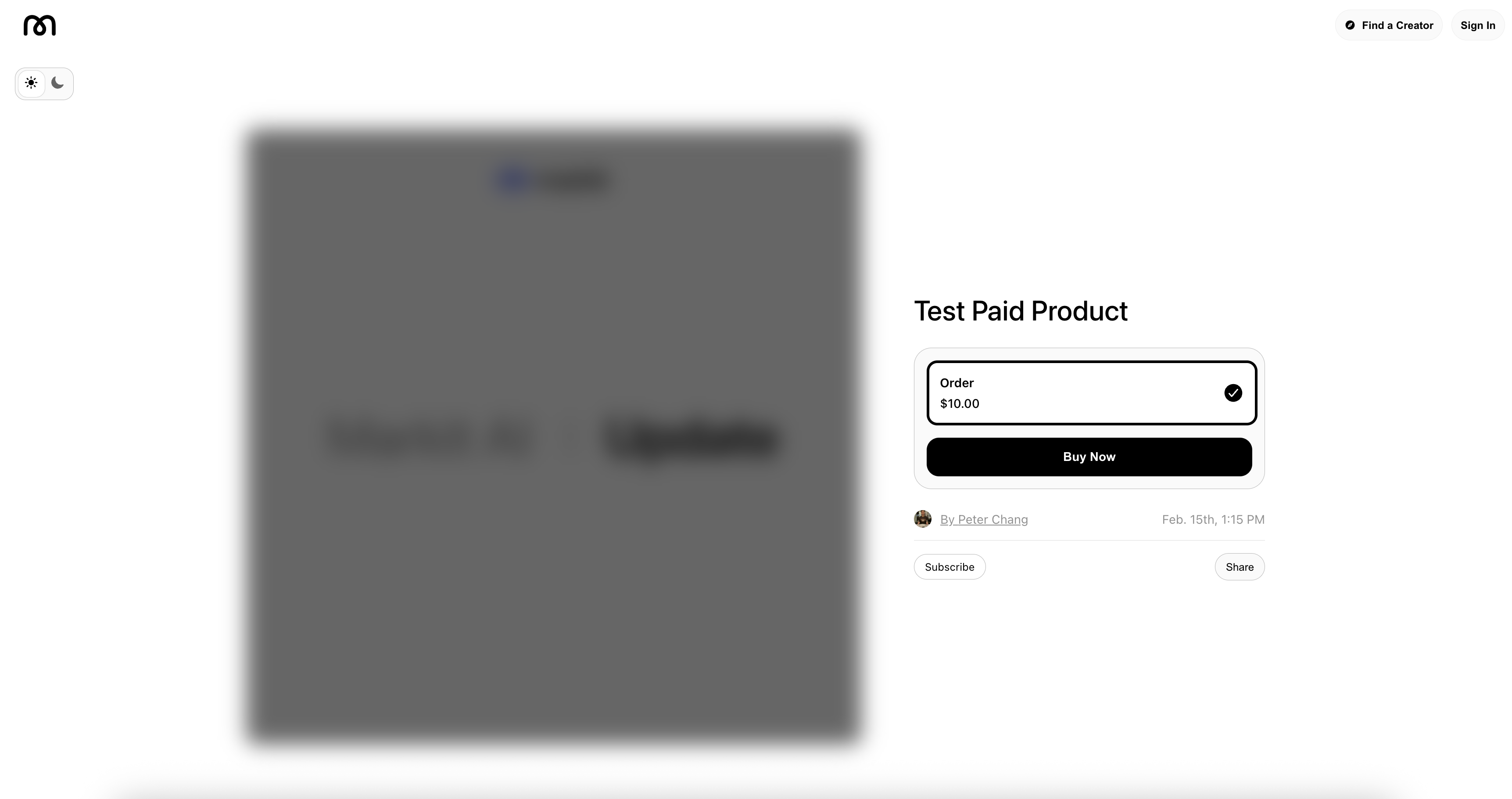
Product Checkout Page
This is a preview of the checkout page that users see when placing an order. The product remains locked until the order is completed successfully.
You can preview your product anytime using the "Preview" option in the Product Dashboard.
Product Order Fees
Markit does not charge an additional platform fee for product orders.
Product purchases are only subject to Stripe's standard processing fee.
Unlike paid event tickets, products do not include an additional ticketing fee on top of Stripe fees.
Visit our fees page for more information.