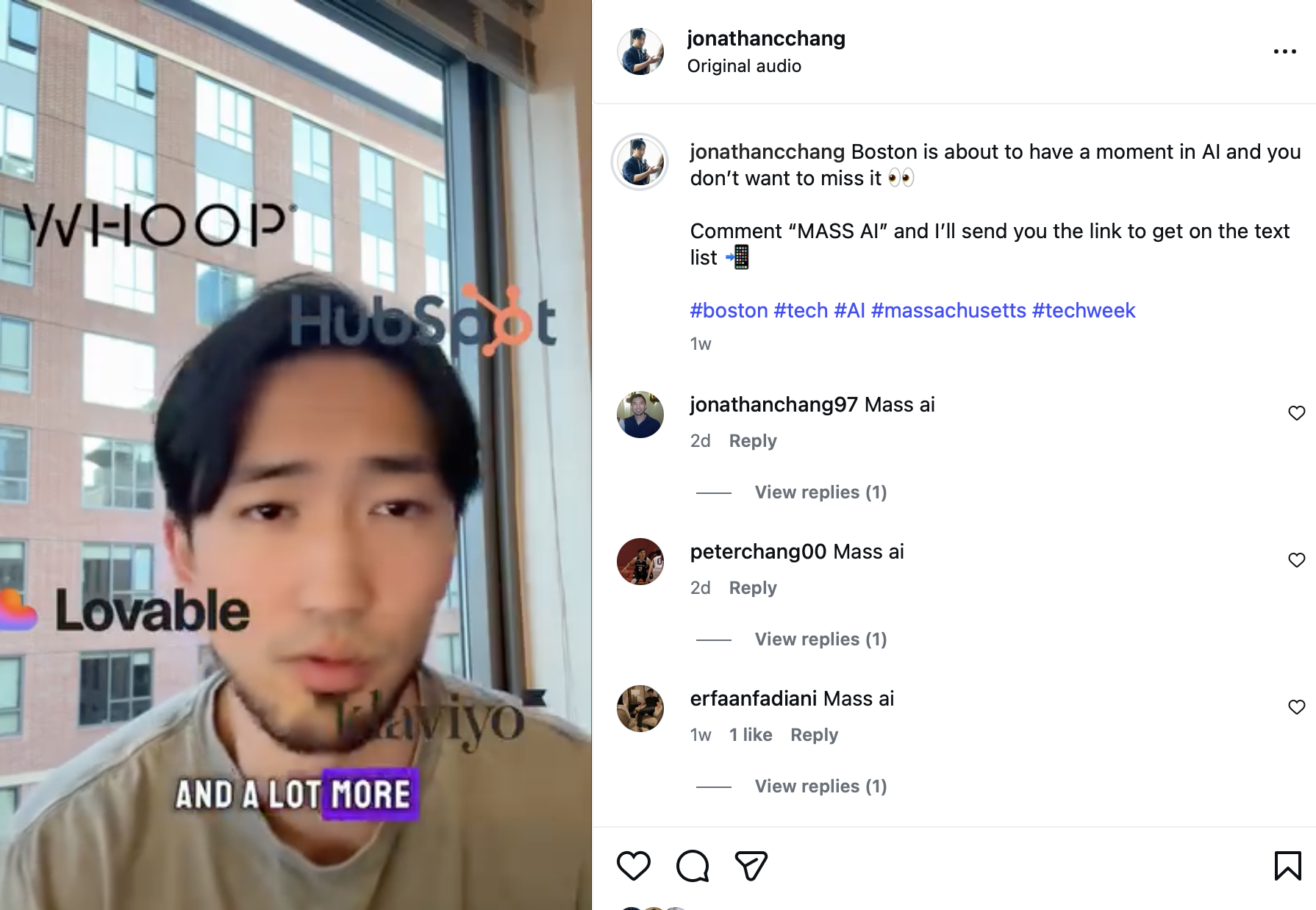
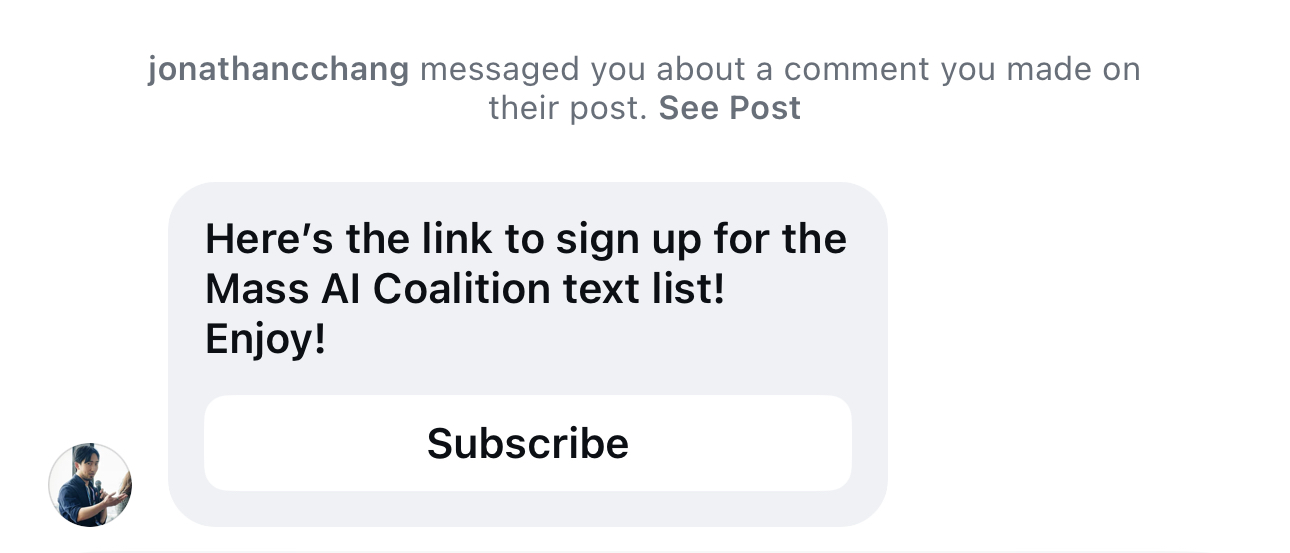
Convert Instagram Followers to Text List
Turn the people commenting on your posts, DM'ing you or replying to a story into text subscribers automatically — no manual DMs, no sending anyone to a separate site.
Your most engaged followers are already telling you they're interested: they comment, DM you and reply to your stories. The problem is that these all live on Instagram, where the algorithm decides who sees you next and you don't actually own the relationship. Markit closes that gap with Auto DM — when someone comments, DMs you or replies to a story, Markit replies in public and slides into their DMs with your signup link, and adds them to your SMS list the moment they join — all hands-free.
This page walks through the most common Instagram-to-SMS setups on Markit: connect your account, build an automation, and watch new subscribers roll in from the posts you're already making, without you having to do anything else.
Why creators use Markit for this
- Drive newsletter and blog subscribers. Pull followers from social media and get them as subscribers for your exclusive text list or newsletter/blog.
- Sell products. Pull followers from social media and be able to directly sell products to them.
- Promote events. Pull followers from social media and drive them to purchase tickets to your event.
Other key reasons
- Comments, DMs, and story replies are your highest-intent audience. Someone who does any of these three is raising their hand. Catch them in the moment instead of hoping they find your link later.
- You own the relationship. A text subscriber is yours to reach anytime — no algorithm in between, no inbox to get buried in. Texts see far higher open and click rates than email or a social post.
- It runs itself. Set the automation once and every qualifying comment gets a public reply and a DM automatically, even while you sleep or go viral.
- Cost. You only pay when you text your new subscribers.
Set it up
See Automations Overview for the full configuration reference.
- Connect your Instagram account. Go to the Auto DM tab and tap Connect Instagram. Log in and approve the permissions; Markit keeps the connection alive in the background.
- Create a new automation. Head to Auto DM → New Automation and give it a clear name, like "IG comment → SMS signup."
- Choose what fires it. Pick the posts Markit should watch, and optionally a keyword the comment must contain. See trigger types for the full breakdown:
- Specific post — one post you choose.
- All posts — your whole feed; always-on growth.
- Next post — the next post you publish; ideal for pre-launch setup.
- Write your public reply. Short and warm, e.g. "Just sent you the link in your DMs!"
- Write your DM. Lead with what you promised, then drop your Markit signup link. An intro message followed by the link tends to convert best.
- Turn it on. Toggle the automation active. From here on, qualifying comments are handled for you.
This flow works for comments, story replies, and DMs.
Keyword filters
Any trigger can require a keyword so you only DM people who actually want what you're offering. Set the keyword to link and a comment like "send me the link" fires the automation, while "great photo!" is ignored. This is the cleanest way to run a classic "comment a word to get it" campaign — and it keeps your list full of genuinely interested subscribers. See Keywords for full configuration details.
How Markit picks which automation fires
If more than one automation could match the same comment, Markit fires exactly one — so a follower never gets duplicate DMs. A Specific post trigger always wins over Next post, which wins over All posts. When two automations are equally eligible, the most recently created one fires. You don't have to manage any of this; it just resolves cleanly behind the scenes. See Automation priority for the full logic.
Capture from your Link in Bio too
Comment automations catch people on individual posts, but your Link in Bio is the always-on front door. Pin a Subscribe button at the top so anyone who visits your profile can join your text list directly — even if they never comment. Between the two, you're capturing both the active commenters and the quiet browsers.
Tips
- Tell people exactly what to do. In your caption, say "Comment LINK and I'll DM you." Clear instructions dramatically increase the number of qualifying comments.
- Give before you ask. Open the DM with the thing they wanted, so the signup link feels like a bonus rather than a catch.
- Match the keyword to the post. A specific keyword keeps your DMs relevant and your list clean.
- Don't worry about going viral. Markit automatically paces replies to stay within Instagram's limits, so a flood of comments gets handled steadily over time and your account stays in good standing.
- Pause anytime. Toggle an automation off to stop replies without losing your setup. Disconnecting Instagram removes your automations entirely, so pause if you only need a break.
Need help?
If you get stuck connecting Instagram or building your first automation, contact support.