Markit AI LogoMarkit | Docs
Common Use Cases

Host your own newsletter or blog

Publish to your audience, charge for premium posts, and bring on sponsors — all without sending anyone to a separate site.
Newsletter or Blog Hero

Publish to your audience, charge for premium posts, and bring on sponsors — all without sending anyone to a separate site.

If you're already writing somewhere else (Substack, Beehiiv, Medium, your own blog), you can run the whole thing inside Markit and reach readers in the place they actually open: their text inbox. Every post you publish goes out as a text, lives on a public page, and shows up in your Link in Bio.

This page walks through the most common newsletter setup on Markit: a free public feed, a paid premium tier, and an opportunity to monetize with sponsors.

Why creators use Markit for newsletters

See how Text/Blog Posts work end to end on Markit.

  • Texts get opened. Your post lands in someone's SMS, not buried in an email folder. Open rates speak for themselves (up to 10x higher click rates).
  • One platform for free and paid. Run the public newsletter and the paywalled tier from the same dashboard.
  • Built-in distribution. New posts auto-appear in your Link in Bio, so anyone visiting your bio sees the latest issue.

Set it up

Start from Products Overview: in your dashboard, go to Products → New product and choose Text post.

  1. Write your first post. Add a cover image, headline, and body. You can paste from a Google Doc or write directly in Markit.
  2. Decide how it goes out:
    • Public — anyone can read it; the post shows up in your Link in Bio.
    • Subscribers only — sent via text to your free list.
    • Paid — only members of your paid tier get the full post; everyone else sees a preview and a paywall.
  3. Hit Publish. The public page will be a live link you can include in a text blast, and it automatically gets listed in your Link in Bio / Personal Landing Page.

If you want to charge for access to posts, set up a paid tier under Memberships. See Memberships Overview. You can choose:

  • A flat monthly or annual price (for example, $5/month for full archive access).
  • A one-time buy option — useful for long-form pieces you want to gate without locking readers into a subscription. (Paid Products covers checkout and order options.)
  • A free tier alongside your paid tier, so people can subscribe before they pay.

Get sponsors

Newsletters monetize twice: from readers and from sponsors. Markit makes the sponsor side easier in two ways:

  • Sponsor slots inside posts. Drop a clearly marked sponsor block at the top, middle, or bottom of any post. You control the copy and the link. Long-form layout and visibility settings are covered in Text/Blog Posts.
  • Audience analytics for pitches. Pull subscriber count, open rate, and click-through rate from your dashboard to share with prospective sponsors. These are the numbers brands actually ask for.

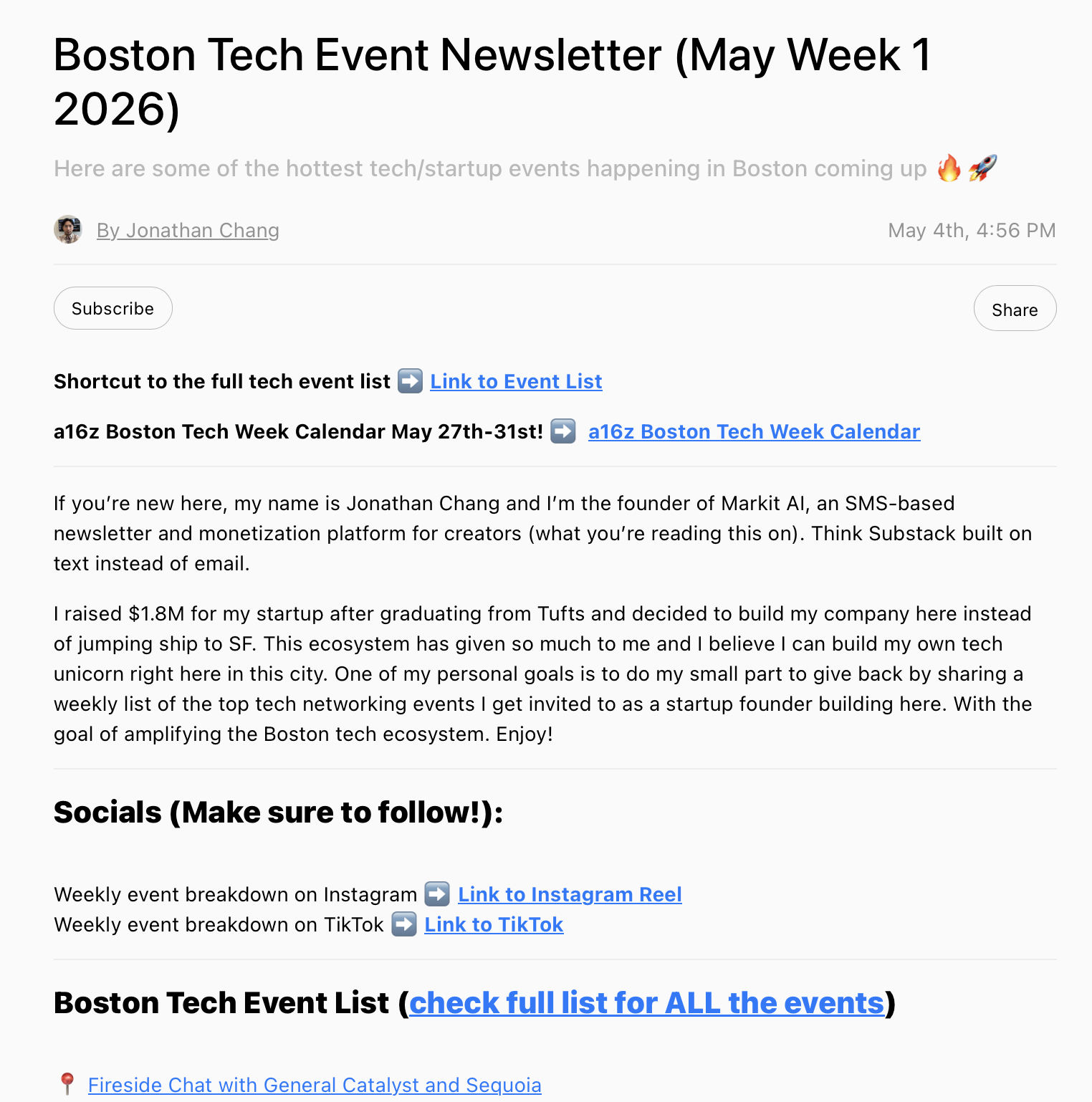
Jonathan’s Boston tech-events newsletter on Markit is a real-world example of the same playbook: long-form Text/Blog Posts, distribution by SMS, and a public catalog in Link in Bio.

Your Link in Bio is the public home for your newsletter. Every published post shows up there in reverse-chronological order, so a first-time visitor can scroll your back catalog without subscribing yet.

To customize:

  • Open Grow → Link in Bio.
  • Add a Newsletter block and choose how many recent posts to show (3, 5, or all).
  • Pin a Subscribe button above the post list so visitors convert before they start reading.

Tips

  • Send time matters. Texts are immediate — schedule for when your audience is on their phone, not just out of habit.
  • Pull people from social into texts. Promote individual posts on Instagram or TikTok with a Link in Bio CTA (automations coming soon). SMS will convert cold social followers into subscribers way faster than email.
  • Reply to readers. A newsletter on Markit isn't one-way. When readers text back, the conversation shows up in your inbox — that's where loyalty (and feedback for sponsors) gets built.

Need help?

If you get stuck setting up your newsletter or paid tier, contact support and we'll walk you through it.

On this page