Markit AI LogoMarkit | Docs
Common Use Cases

Collect contact info and signups

Forms and Subscribe buttons that grow your text list from every place someone finds you — your bio, your site, your venue, your podcast description.

Collect contact info and signups

Forms and Subscribe buttons that grow your text list from every place someone finds you — your bio, your site, your venue, your podcast description.

Almost every Markit use case starts the same way: someone gives you their phone number. This page covers the two tools that make that happen — Forms and the Subscribe button — and where to put each one.

Forms

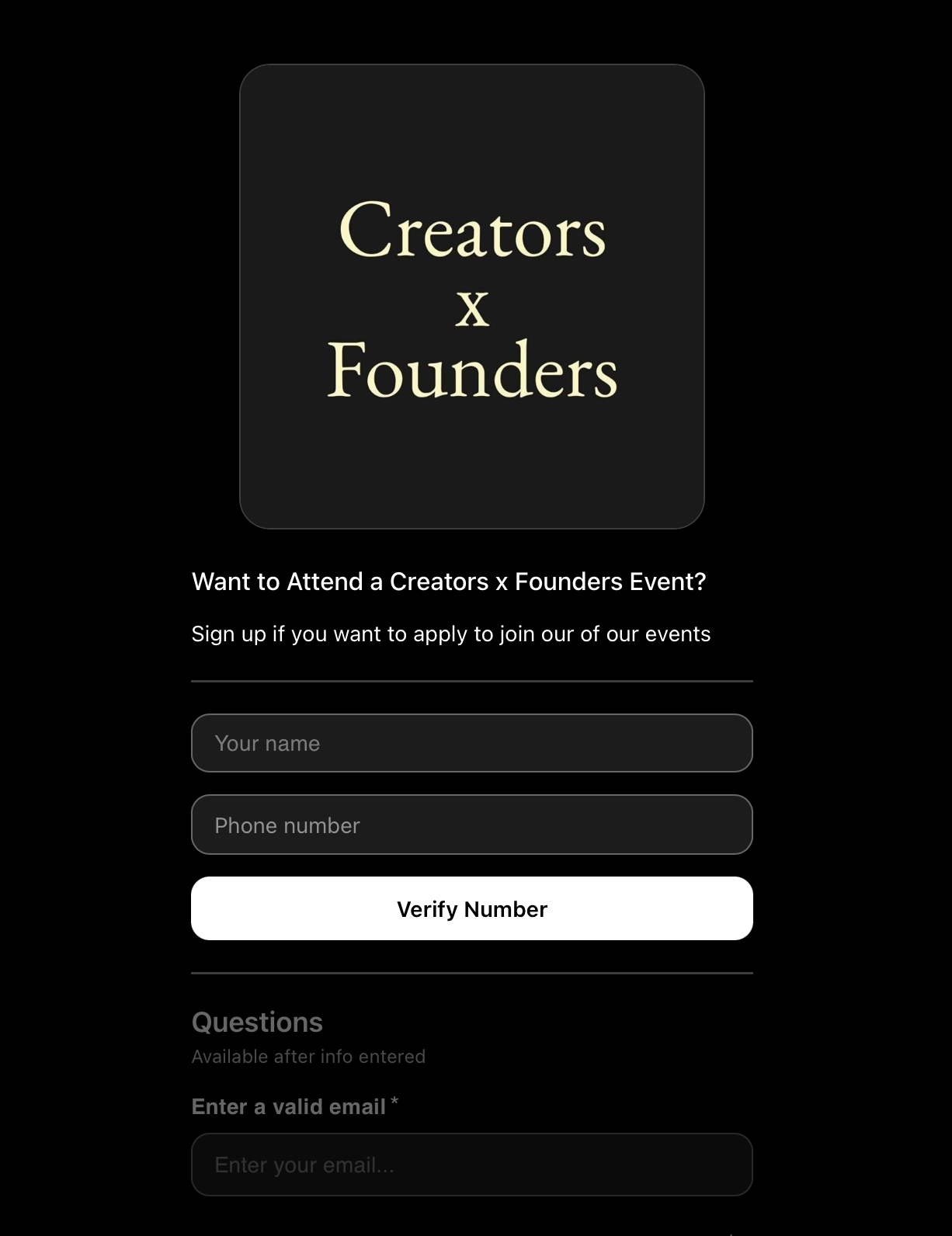
Forms are the most flexible signup tool in Markit. Use them for newsletter opt-ins, event RSVPs, contest entries, lead magnets, application gates — anything where you want to collect info and (usually) a phone number.

Set up a Form

  1. Go to Grow → Forms → New form.
  2. Add fields. Required ones first; keep optional ones short.
    • Phone number is the default — leave it on unless there's a specific reason.
    • Name is almost always worth collecting.
    • Email is useful to collect.
    • Custom fields for anything specific to your form (e.g. "What city are you in?", "Pick a date").
  3. Style the form. Add your logo, cover image, and short headline (e.g. "Get the free guide").
  4. Set what happens after submit:
    • Add to a list (default).
    • Trigger a drip — kick off a sequence the moment they submit.
    • Redirect to a URL — useful for delivering a freebie via a hosted PDF link.
  5. Hit Publish. You'll get a shareable link and an embed snippet.

Where to put forms

Different forms for different jobs:

  • Lead magnet form — link from paid ads (see marketing campaigns).
  • Event application form — when you need to approve attendees (see event pages).
  • Contest entry form — collect name + phone + a custom answer.
  • Sponsor / brand inquiry form — collect name + company + budget instead of a phone number.

You can run multiple forms in parallel — each one routes to its own list/drip, so attribution stays clean.

Tips for higher submit rates

  • Cut every field you don't actually need. Each extra field drops conversion ~5–10%.
  • Lead with a clear benefit. "Get the free playbook" outperforms "Subscribe".

The Subscribe button

When you don't need any custom fields, the Subscribe button is faster than a Form. It's a one-tap opt-in: the user taps, their phone's SMS app opens with a pre-filled message, they hit send, and they're on your list. Learn more

Where the Subscribe button lives

  • Link in Bio. Pin it to the top of your bio page so it's the first thing visitors see.
  • Your website. Embed the button on a homepage, footer, or pop-up.
  • Inside other Markit content. Add the button to a public newsletter post or an event page so non-subscribers can opt in mid-scroll.

Subscribe button vs. Form — which to use

Use a Subscribe button when…Use a Form when…
You only need a phone numberYou also need name, email, or custom answers
The signup is super casual (poster, QR, bio link)The signup is gated (event, application, contest)
You want zero frictionYou want better data on each subscriber

A common combo: Subscribe button for cold/casual entry points, Forms behind paid ads where you can afford the friction in exchange for better lead data.

Send subscribers somewhere on day one

Whether they came via Form or Subscribe button, don't leave new subscribers in silence. Set up at minimum:

  • A welcome text (auto-fires on subscribe).
  • A drip campaign of 3–5 texts spaced over the first week (see drip campaigns).

These two together typically more than double LTV per subscriber.

Tips

  • One form, many entry points. Use unique tracking links to track which channel is bringing in your best subscribers.
  • Test your own opt-in flow. From a phone that isn't on your list, tap your Subscribe button. Make sure the welcome text feels right.
  • Audit quarterly. Old forms tied to discontinued offers should be paused or replaced. Stale forms quietly leak conversion.

Need help?

Form not collecting submissions, Subscribe button not firing, or unsure which to use where? Contact support.

On this page