 Markit | Docs
Text Plugins
Personalize your texts with dynamic content that fills in automatically at send time
Text plugins let you insert dynamic placeholders into your message while drafting a text. When the text is sent, each plugin is automatically replaced with the real value for that recipient — so one message can feel personal to everyone who receives it.
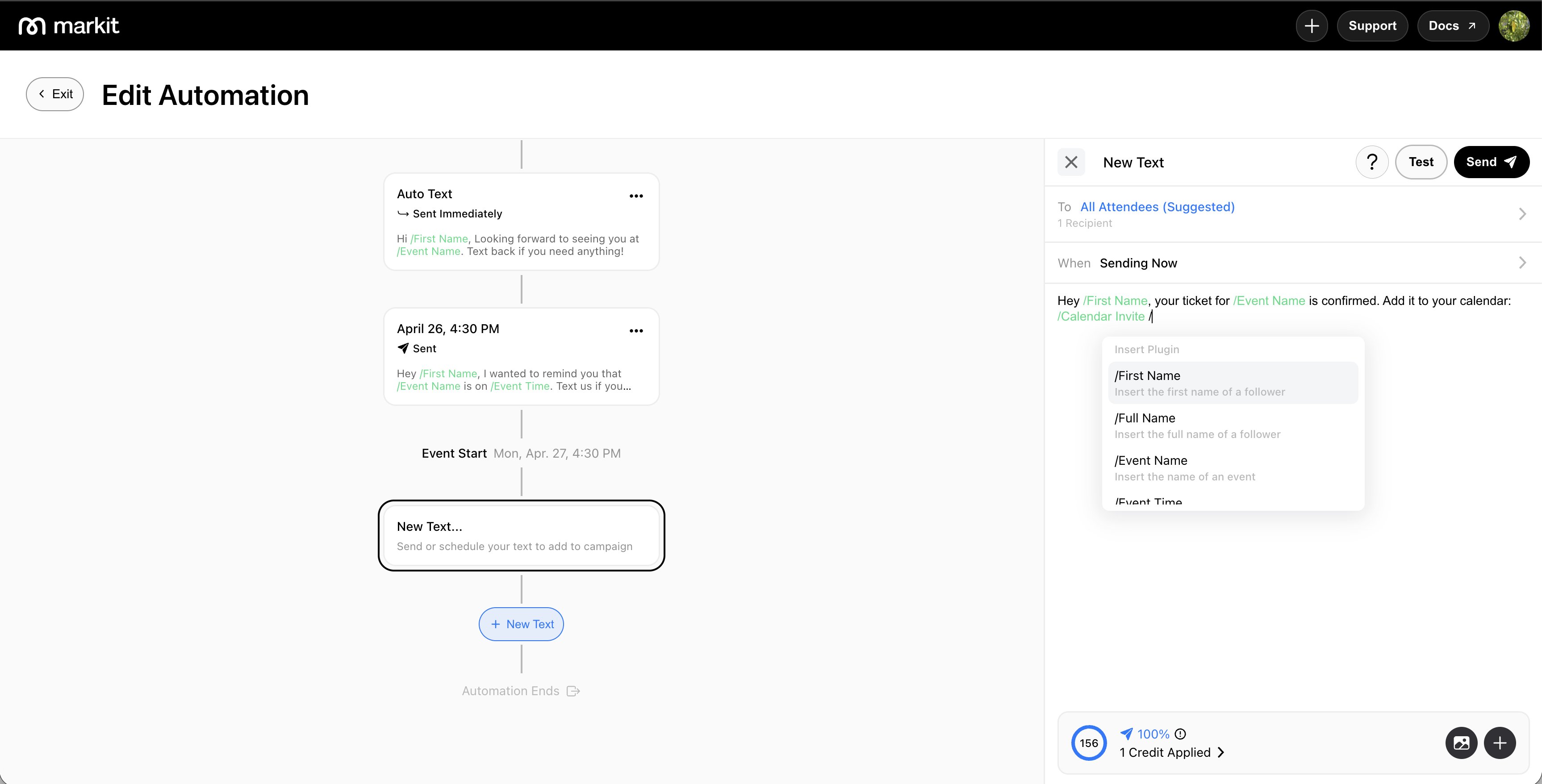
How to use plugins
While drafting your message, type / to open the plugin picker. Select a plugin from the list to insert it into your message. Plugins appear highlighted in your draft so they're easy to spot before sending.
You can mix plugins with regular text freely — for example:
Hey /First Name, your ticket for /Event Name is confirmed. Add it to your calendar: /Calendar Invite
Available plugins
All mass texts
These plugins are available when sending any mass text.
| Plugin | What it inserts |
|---|---|
/First Name | The recipient's first name |
/Full Name | The recipient's full name |
Automation texts
These plugins are available on texts sent through event, product, and form automations.
| Plugin | What it inserts |
|---|---|
/Event Name | The name of the event linked to the automation |
/Event Time | The start date and time of the event — e.g. 4/19 @8:00PM |
/Event Location | The venue or address of the event — e.g. 123 Main St, San Francisco, CA 94105 |
/Event Page | A link to the event's page on Markit |
/Form Name | The name of the form linked to the automation |
/Form Page | A link to the form page |
/Product Name | The name of the product linked to the automation |
/Product Page | A link to the product page |
/Order Link | A link to the recipient's order or purchase confirmation |
/Calendar Invite | A link for the recipient to add the event to their calendar |