 Markit | Docs
Quiet Hours
Understanding SMS and MMS quiet hours in Markit.
Overview
We help ensure your texts are always compliant with industry standards. Quiet Hours are specific periods when you are restricted from sending marketing messages to avoid disturbing subscribers.
To align with industry standards, Markit enforces Quiet Hours by default between 7:30 PM and 8:00 AM (Sender's Local Time). This helps you avoid sending blasts during inconvenient times, keeping your unsubscribe rates low and your compliance high.
Sender Time vs. Recipient Time
Markit enforces quiet hours based on YOUR (the Sender's) local time zone settings, not the recipient's.
Because we do not automatically detect the time zone of every individual recipient, you are responsible for ensuring your send times are safe for your specific audience.
Example of Risk: If you are in New York (EST) and send at 9:00 AM, it is only 6:00 AM for a customer in Los Angeles (PST).
Recommendation: If you have customers across multiple time zones, we recommend waiting until 11:00 AM EST to send broadcasts. This ensures you are reaching West Coast customers after their 8:00 AM wake-up time.
Types of Messages
Avoid sending during quiet hours: Marketing messages such as product or event promos, offers and discounts. Schedule these outside the quiet hours window.
Fine to send during quiet hours: Individual two-way messages, reminders (e.g. for upcoming events), transactional updates (e.g. order confirmations), and any messages deemed essential and purely communicative. These are acceptable at any time.
Compliance & Account Safety
Respecting quiet hours protects consumer privacy and ensures your business complies with federal regulations like the TCPA.
- Regulations: Respecting quiet hours protects consumer privacy and ensures your business complies with federal regulations like the TCPA.
- Markit Policy: We take these rules seriously to protect the integrity of the platform. Accounts that consistently bypass these restrictions for promotional content risk negative impacts to their account standing or sending privileges.
Disabling Quiet Hours
You have the option to disable Quiet Hours in your settings if you need to send messages immediately, regardless of the time.
Note: Please use this setting with caution. Sending marketing or promotional content overnight significantly increases the risk of consumer complaints. High complaint rates or consistent non-compliant sending can negatively impact your account standing and sending privileges.
Enable or disable quiet hours for your texts
There are two ways that you can toggle quiet hours for your text campaigns.
Setting within the top level Texting tab
- Go to the Texting tab and navigate to the Settings section.
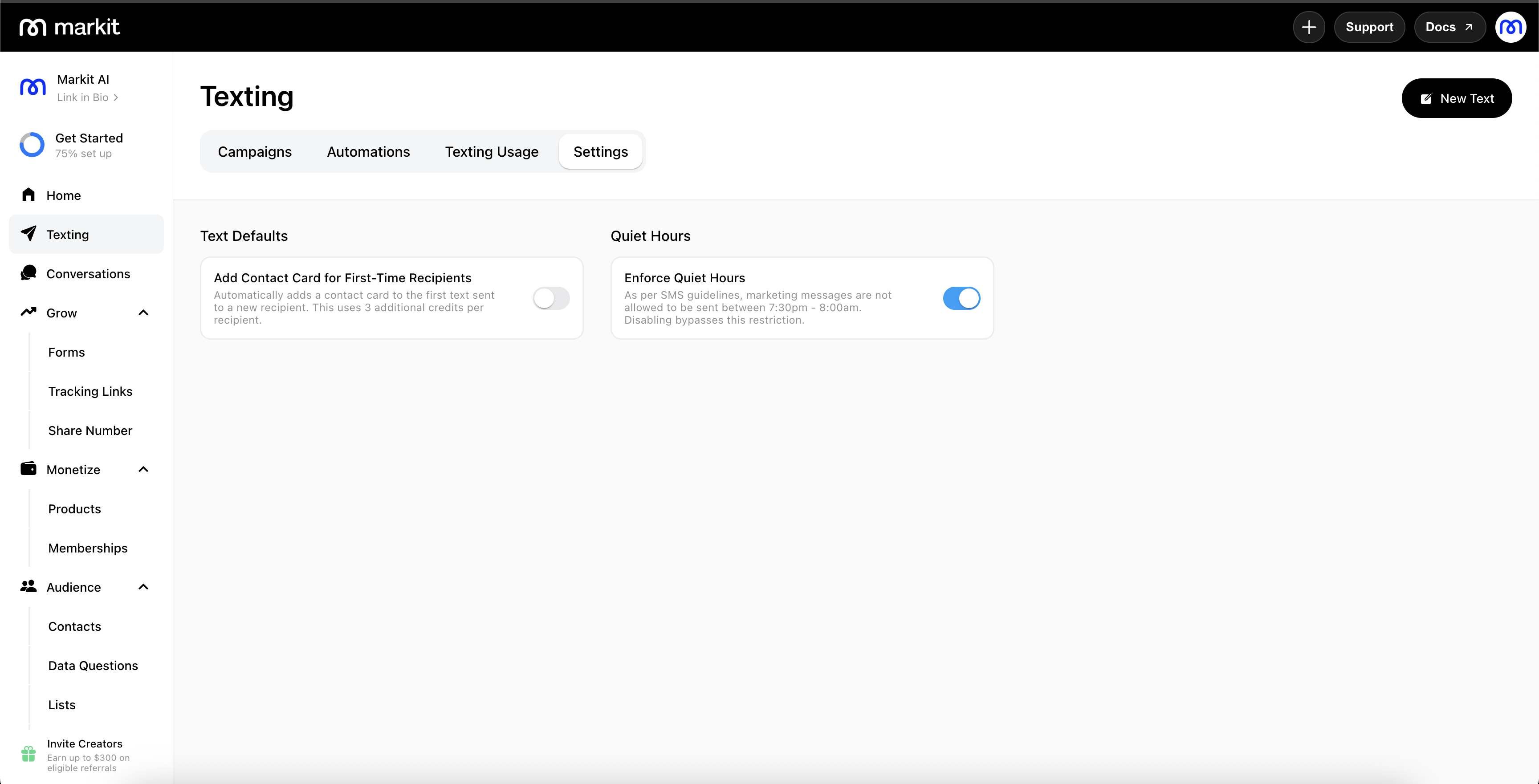
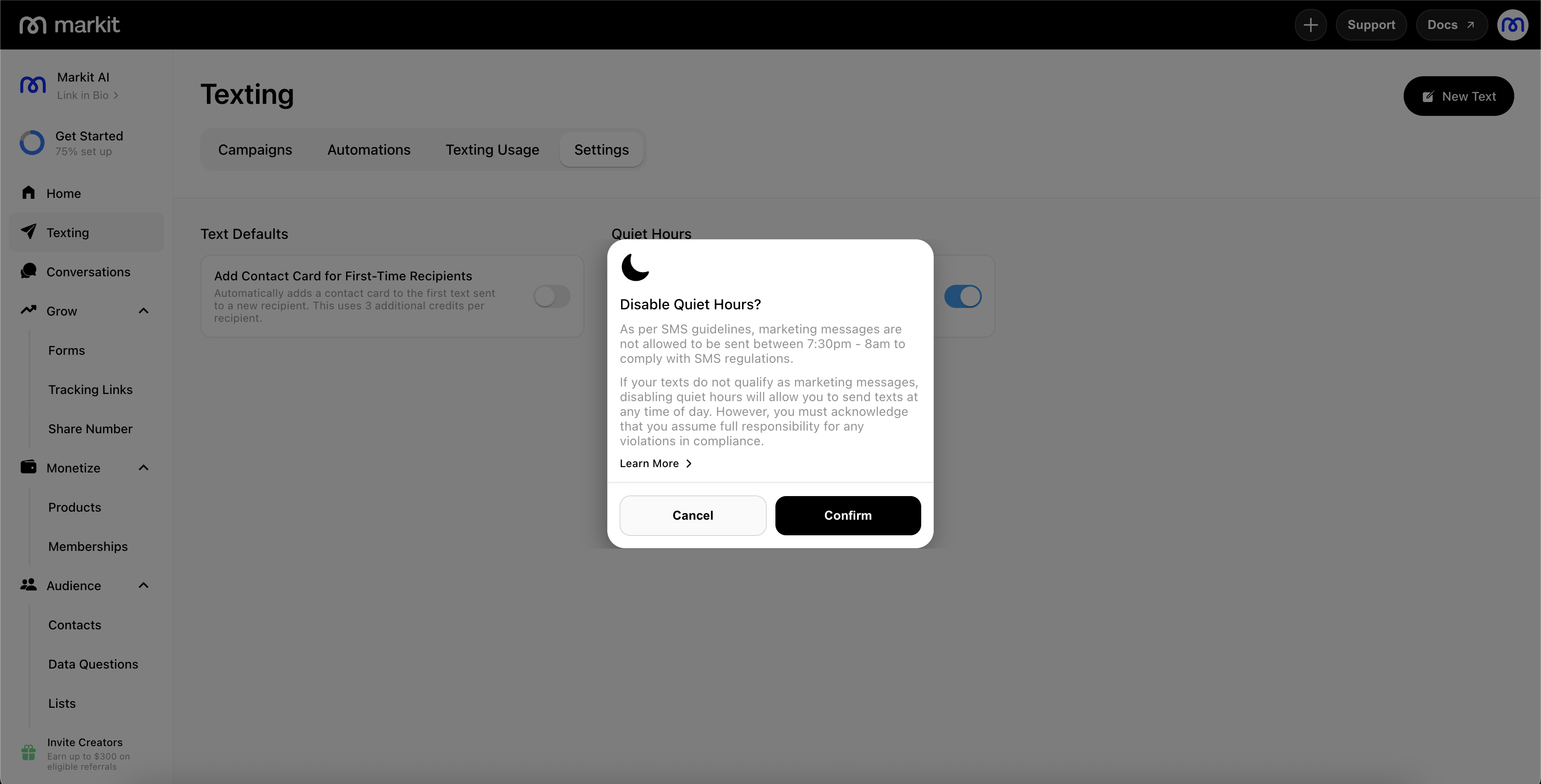
- Set the toggle switch next to Enforce Quiet Hours to your preferred setting. If you are disabling quiet hours, a popup will be shown to confirm that you acknowledge that you assume full responsibility for any compliance violations.
Setting within an individual text blast
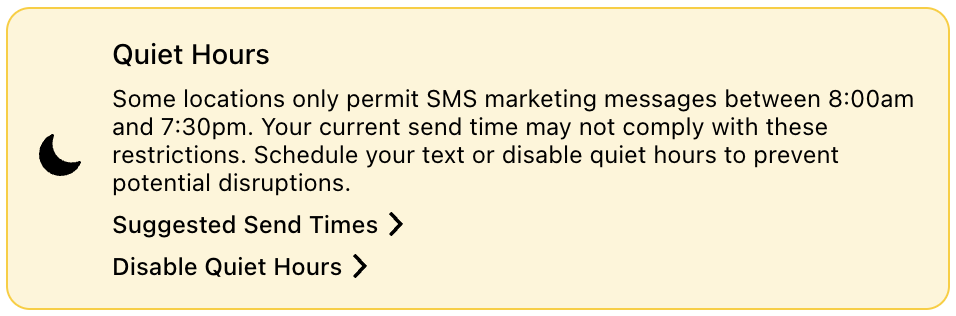
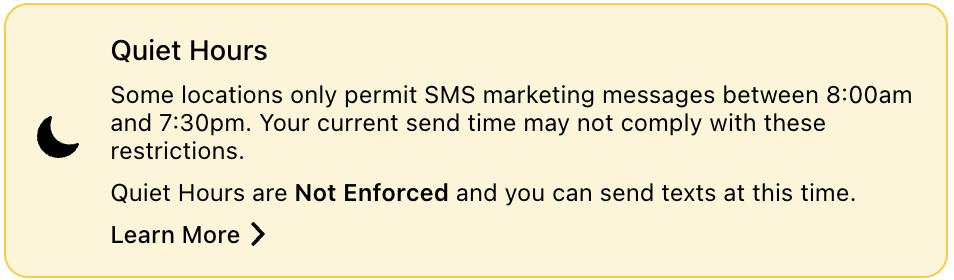
- If your current local time is within quiet hours, there will be a visible quiet hours banner.
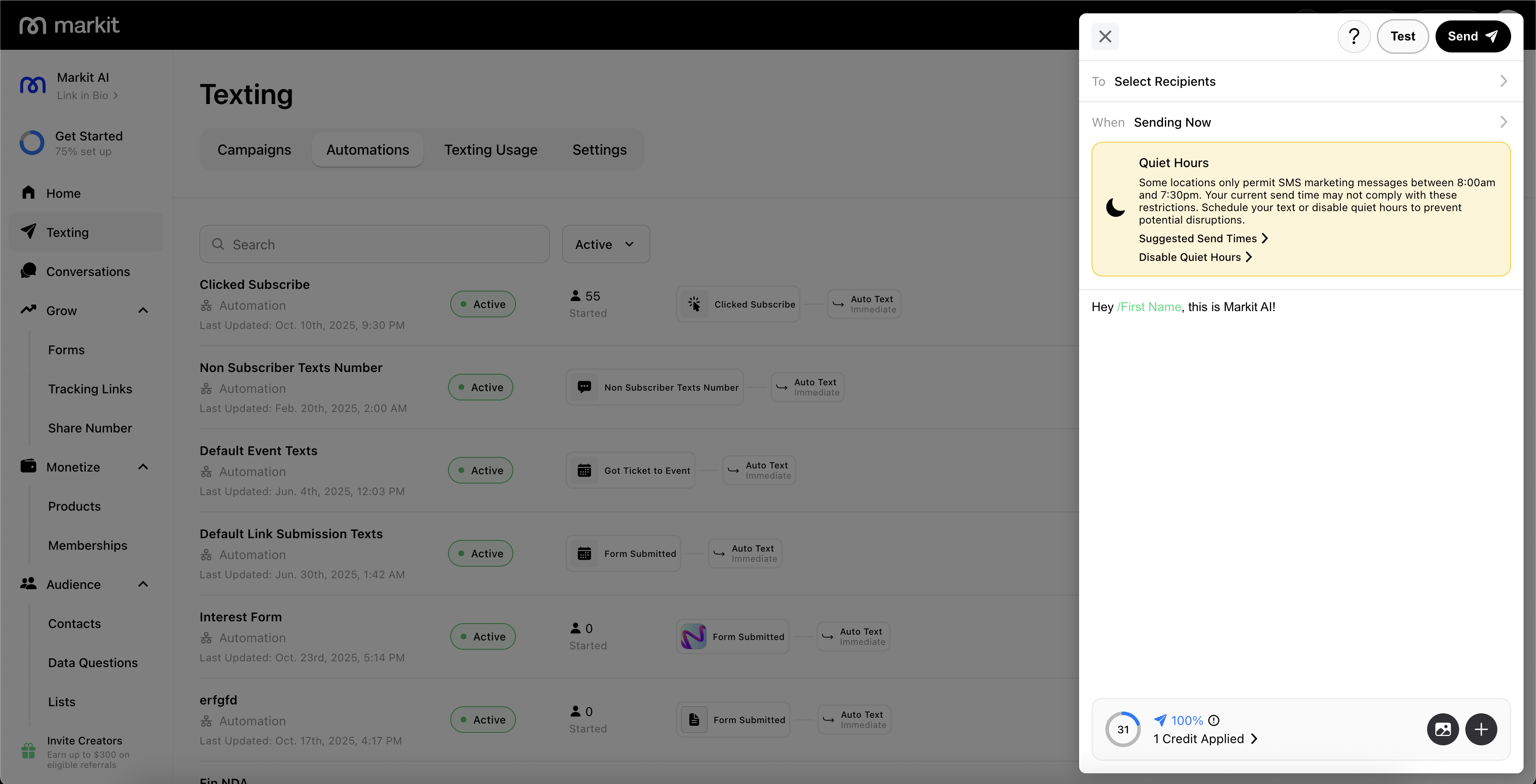
- If quiet hours is currently enabled, you will be able to either schedule the send time to the suggested times outside of quiet hours, or disable quiet hours directly.
- If quiet hours is currently disabled, you can re-enforce it within the top level Texting tab.
For more information or questions related to quiet hours sending, contact support.