 Markit | Docs
Instagram Automations
Set up comment triggers that automatically DM your Instagram audience
Instagram automations let you automatically send a DM when someone comments on your content. Each automation has a trigger (what post or reel to watch and what keyword to listen for) and a DM message (what gets sent when the trigger fires).
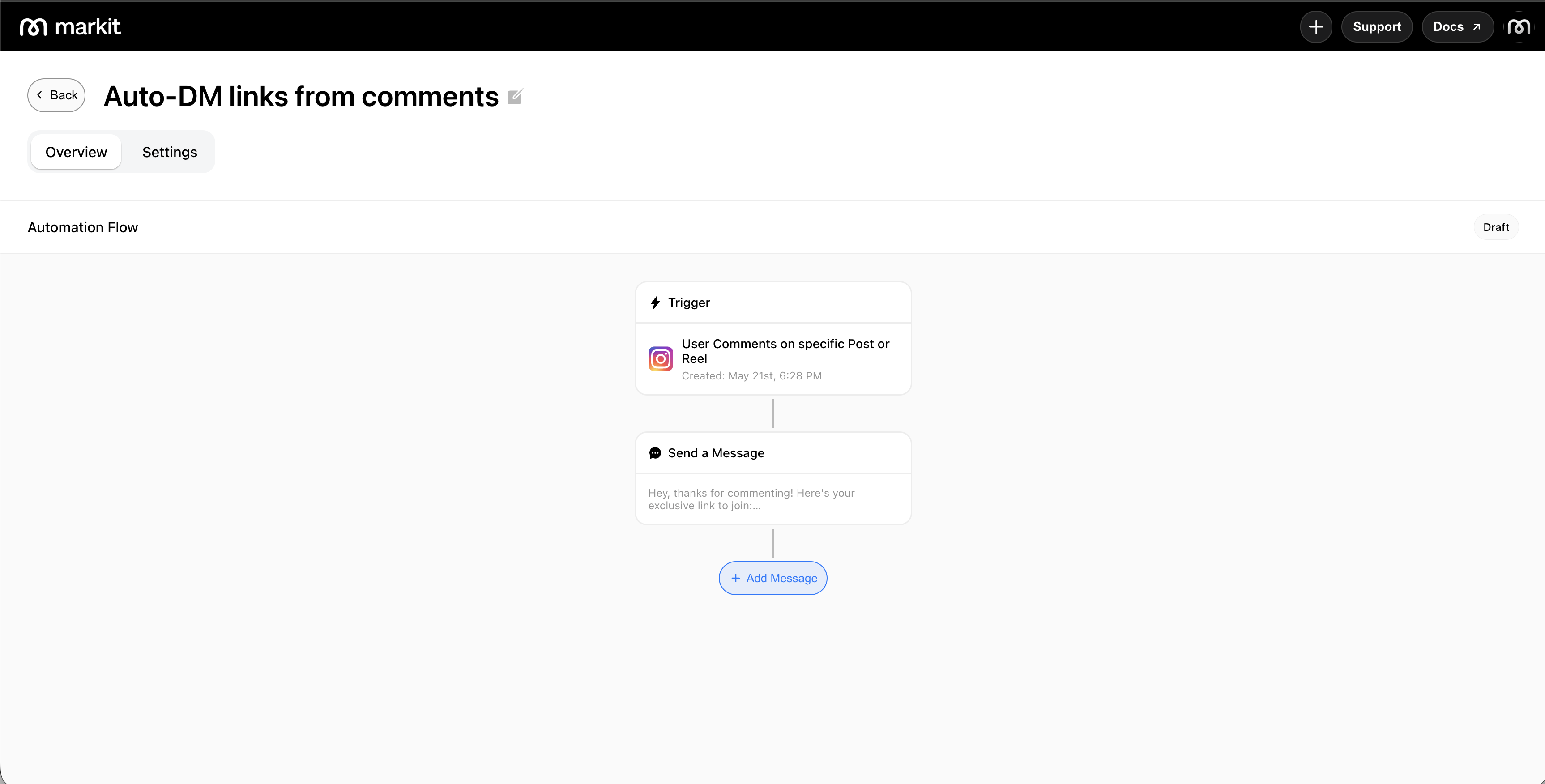
Trigger types
Specific post or reel
Fires when someone comments on a single post or reel you select. Only comments on that piece of content will trigger the DM.
Use cases: Giveaways tied to a specific post, product drops, event signups, link delivery on a particular reel.
All posts or reels
Fires when someone comments on any post or reel on your account. Useful when you want a single automation to cover your entire feed rather than setting one up per post.
Use cases: Always-on keyword campaigns, general audience capture across all content.
Next post or reel
Fires when someone comments on the next post or reel you publish after creating the automation. The automation automatically attaches to your upcoming content so you can set it up before you go live. Once your next post or reel is published and the first comment is made, this trigger converts into a specific post or reel trigger type.
You can only have one of these triggers across all automations at a single time. We disable creating another trigger of this type when one exists already.
Use cases: Launch posts, announcements, or any time you want the automation ready before the content goes out.
Keywords
All trigger types support an optional keyword filter. When set, only comments that contain the exact keyword will trigger the DM — comments without it are ignored.
- Keywords are not case-sensitive ("link", "LINK", and "Link" all match)
- Only exact word matches count — partial matches do not trigger
- If no keyword is set, any comment on the selected content will fire the automation
Tip: Single, easy-to-remember words work best — "INFO", "LINK", "JOIN", "YES".
Comment replies
When setting up an automation, you can choose whether Markit also posts a public reply to the comment in addition to sending the DM. This is optional and can be toggled on or off per automation.
Replies off: Only the DM is sent. The comment thread stays clean with no automated response visible to others.
Replies on: Markit posts a reply to the comment (e.g. "Sent you a DM! 📩") in addition to sending the DM. This can increase visibility and prompt other people viewing the comments to comment too.
Bot detection risk
Enabling comment replies increases the visibility of your automation and can raise the chance of Meta flagging your account for bot-like behavior — particularly if every comment receives the exact same reply.
To reduce this risk, add multiple reply variations when replies are turned on. Markit will rotate through them randomly so the replies don't appear identical across comments.
Examples of varied replies:
- "Check your DMs! 👀"
- "Sent you a message!"
- "DM on the way 🙌"
- "Headed to your inbox now!"
The more variation you add, the more natural the replies appear to Instagram's systems.
Create an automation
- Go to Auto DM and tap New Automation.
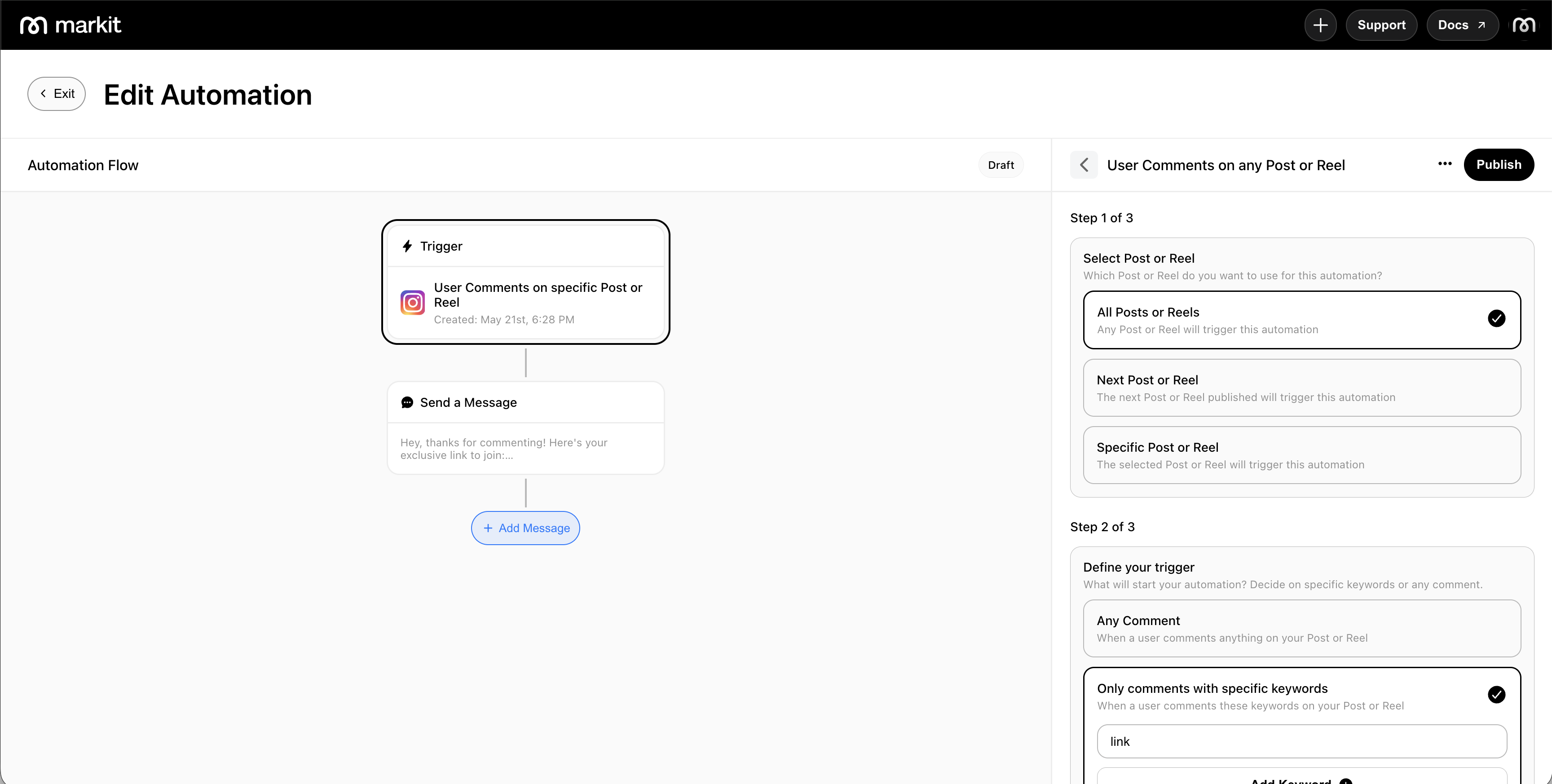
- View the trigger item to view the Trigger Summary Panel. Edit the incomplete trigger.
- Select your trigger type: specific post/reel, any post/reel, or next post/reel.
- If using a specific post/reel trigger, select the content from your feed.
- Optionally set a keyword the comment must contain to fire the DM.
- Choose whether to enable comment replies and, if on, add multiple reply variations.
- Tap Publish to activate the automation.
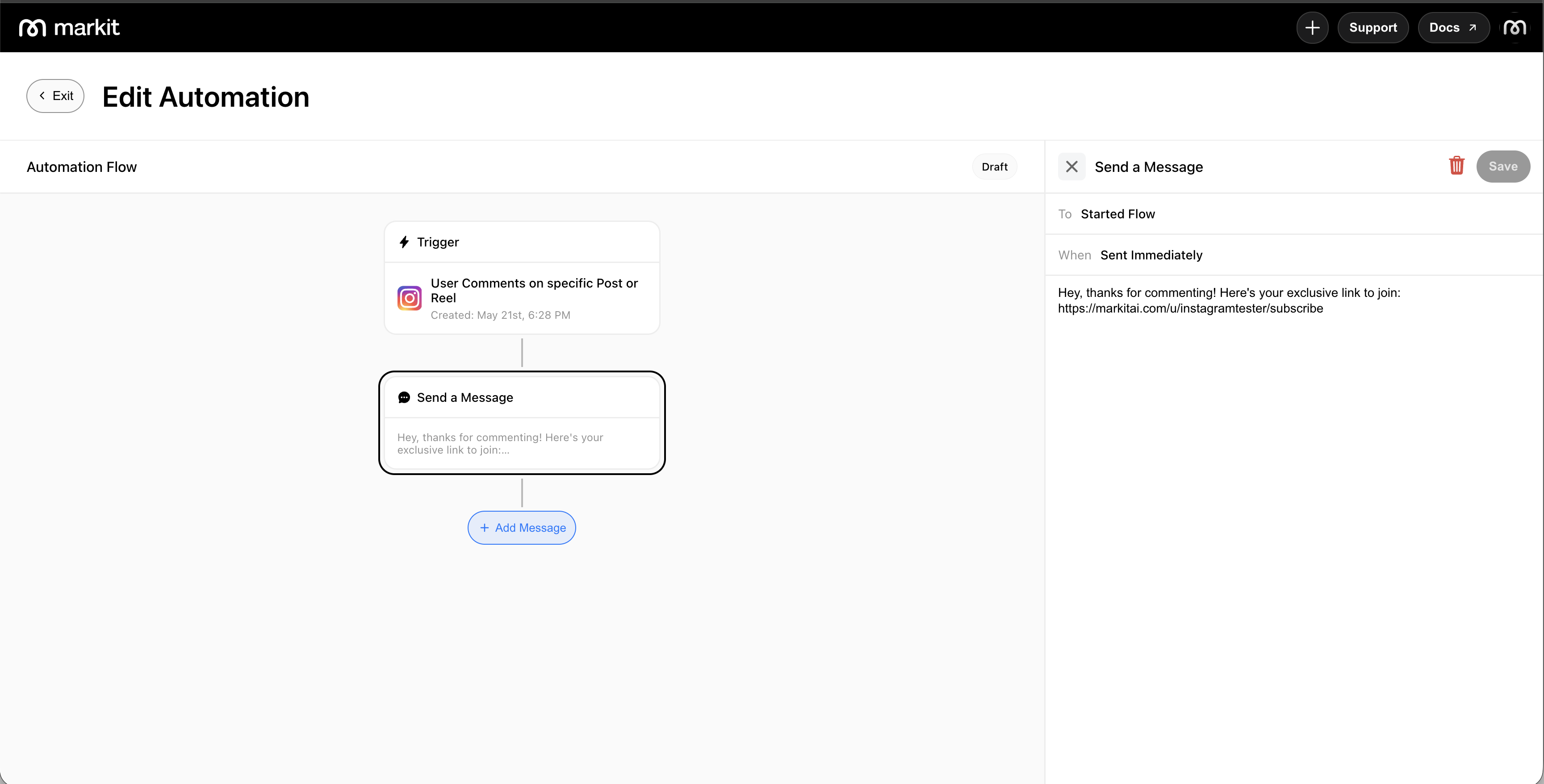
- Tap Add Message to add and customize the private Auto DM sent upon trigger.
Automation settings
| Setting | Description |
|---|---|
| Trigger type | Which content to watch — specific post/reel, any, or next |
| Post or reel | The specific content to attach to (specific trigger only) |
| Keyword (optional) | Only comments containing this word will fire the automation |
| Comment replies | Whether to post a public reply to the comment; add variations to reduce bot detection risk |
| DM message | The message sent to the commenter when triggered |
| Active / Paused | Toggle the automation on or off |
Automation priority
If a comment could match more than one active automation, Markit uses a priority order to decide which one fires. Only the highest-priority matching automation executes — the others are skipped.
Priority order (highest to lowest):
- Specific post or reel
- All posts or reels
If the higher-priority automation exists but its keyword condition isn't met, Markit continues down the list and fires the next automation whose conditions do match.
Example: You have a "specific post" automation with the keyword "LINK" and an "all posts" automation with no keyword. A user comments "love this" on that post — the specific post automation is checked first, but "love this" doesn't match "LINK", so it's skipped. The "all posts" automation has no keyword requirement, so it fires instead.
Within the same trigger type, the most recently created automation takes precedence if multiple could match.
Best practices
- Use specific keywords to avoid triggering on every comment. Single words like "INFO", "LINK", or "JOIN" work well and are easy to call out in your caption.
- Keep the DM short and direct — deliver the value immediately with a clear next step.
- Add reply variations if comment replies are enabled — rotating responses look more natural and lower the risk of being flagged by Meta.
- Avoid duplicate keywords across "all posts" automations — if two active "all posts" automations use the same keyword, Markit will warn you at creation time.
Limits and policies
Rate limits
Markit enforces a limit of 100 automated DMs per hour per connected Instagram account. This is in place to stay well within Instagram's API limits and protect your account from being flagged.
Any DMs that couldn't be sent in that window are queued and automatically delivered in the next hour — nothing is lost. You can also pause your automations at any time to stop the queue from filling further.
Other policies
- Each person can only trigger a given automation once — if they comment again on the same post, the DM will not be sent a second time.
- Overly promotional or spammy message content may be flagged by Instagram. Keep messages helpful and relevant.
- Automations only fire for public accounts. If your Instagram account is set to private, comment triggers will not work.